See the quality loop in the workspace.
QTXpert starts with the context your team already has, lets people set the risks and controls that matter, and shows the editable trail an Autopilot run leaves from input to test suite.
The screens below use sample workspace data and show the product flow, not customer information.
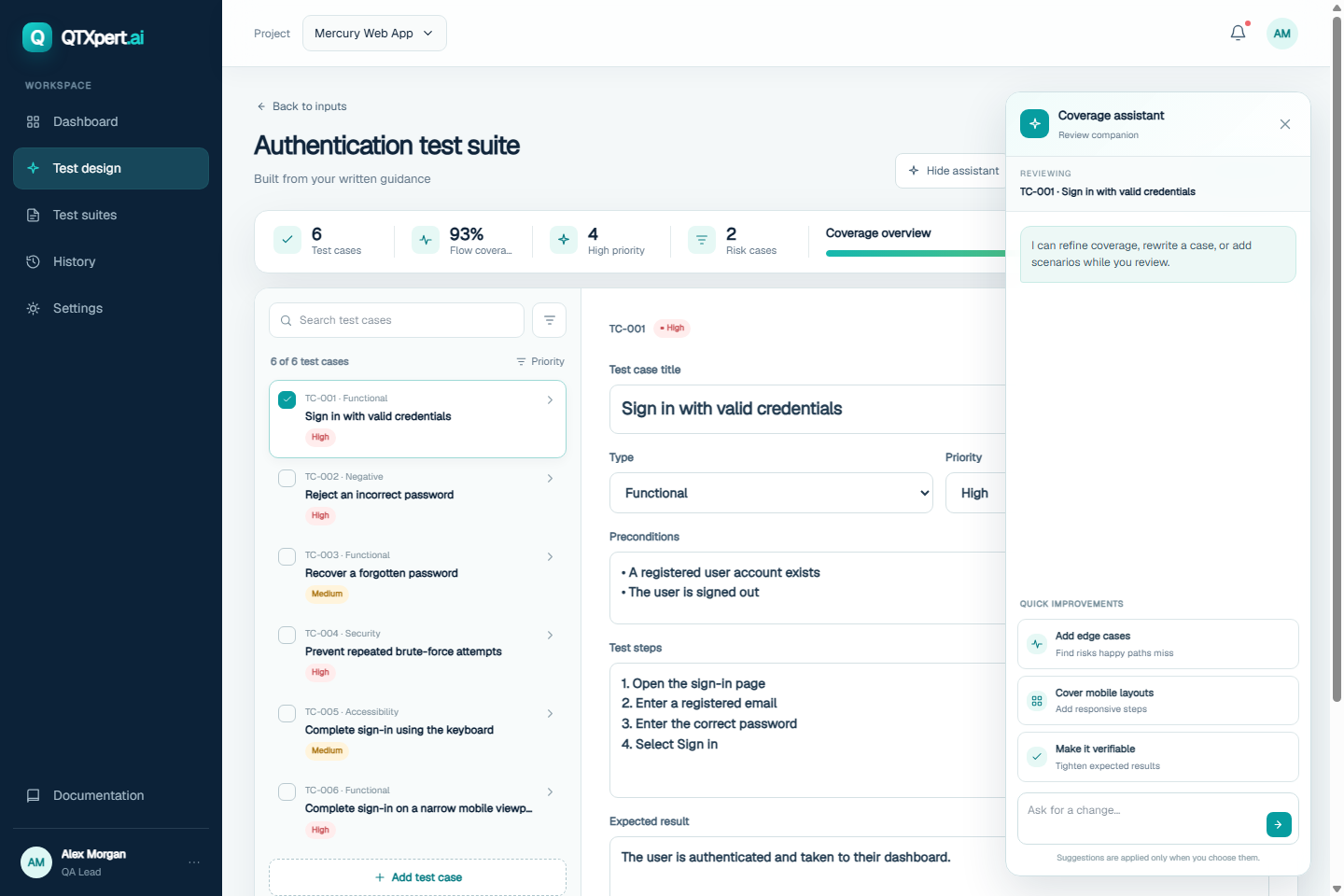
From product context to a suite your team can review.
Each screen is a real step in the workspace. The value is not just generation; it is the control and context around the generated work.
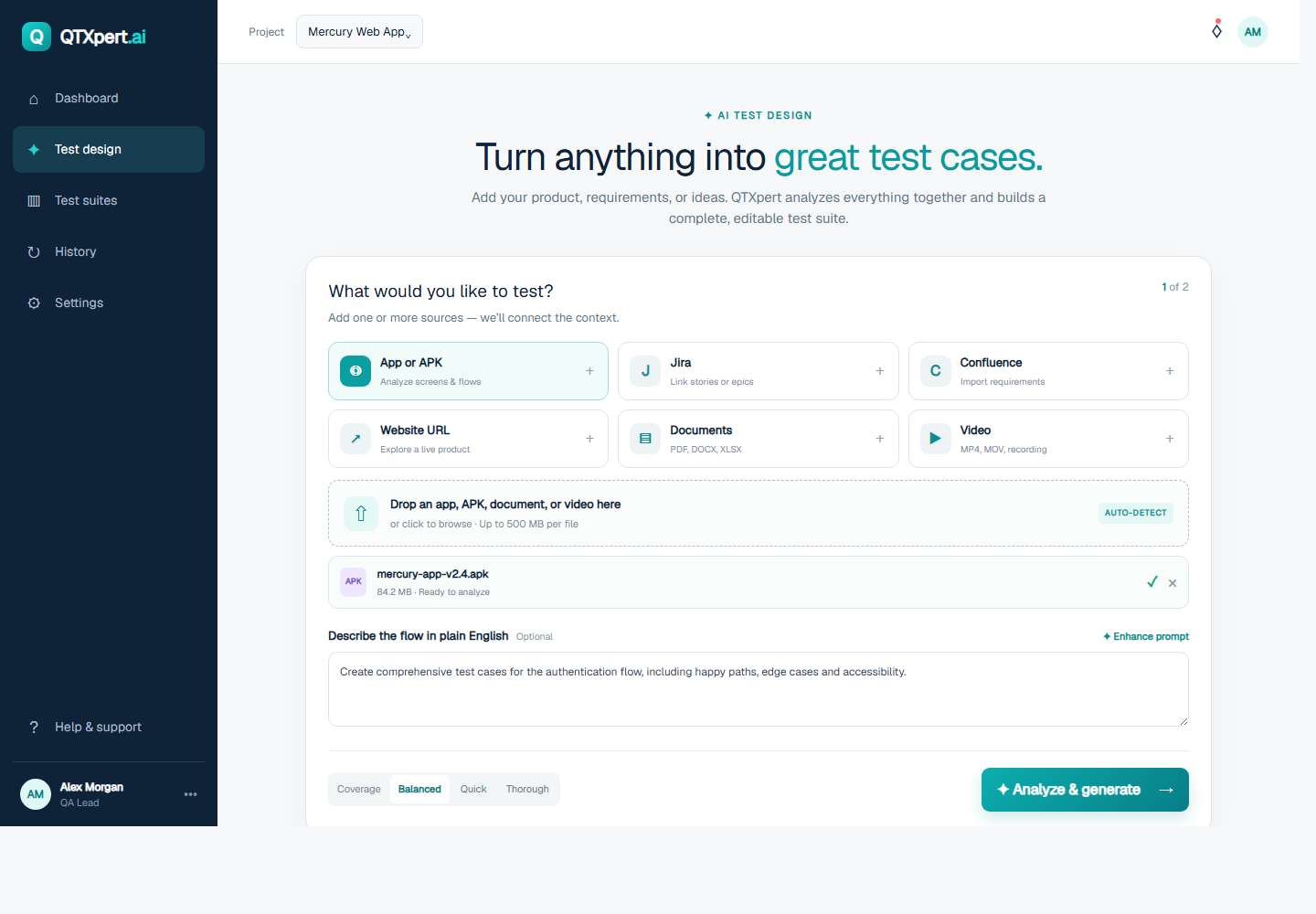
Bring the context
Start with an app, URL, document, Jira story, video, or a plain-language description of the flow.
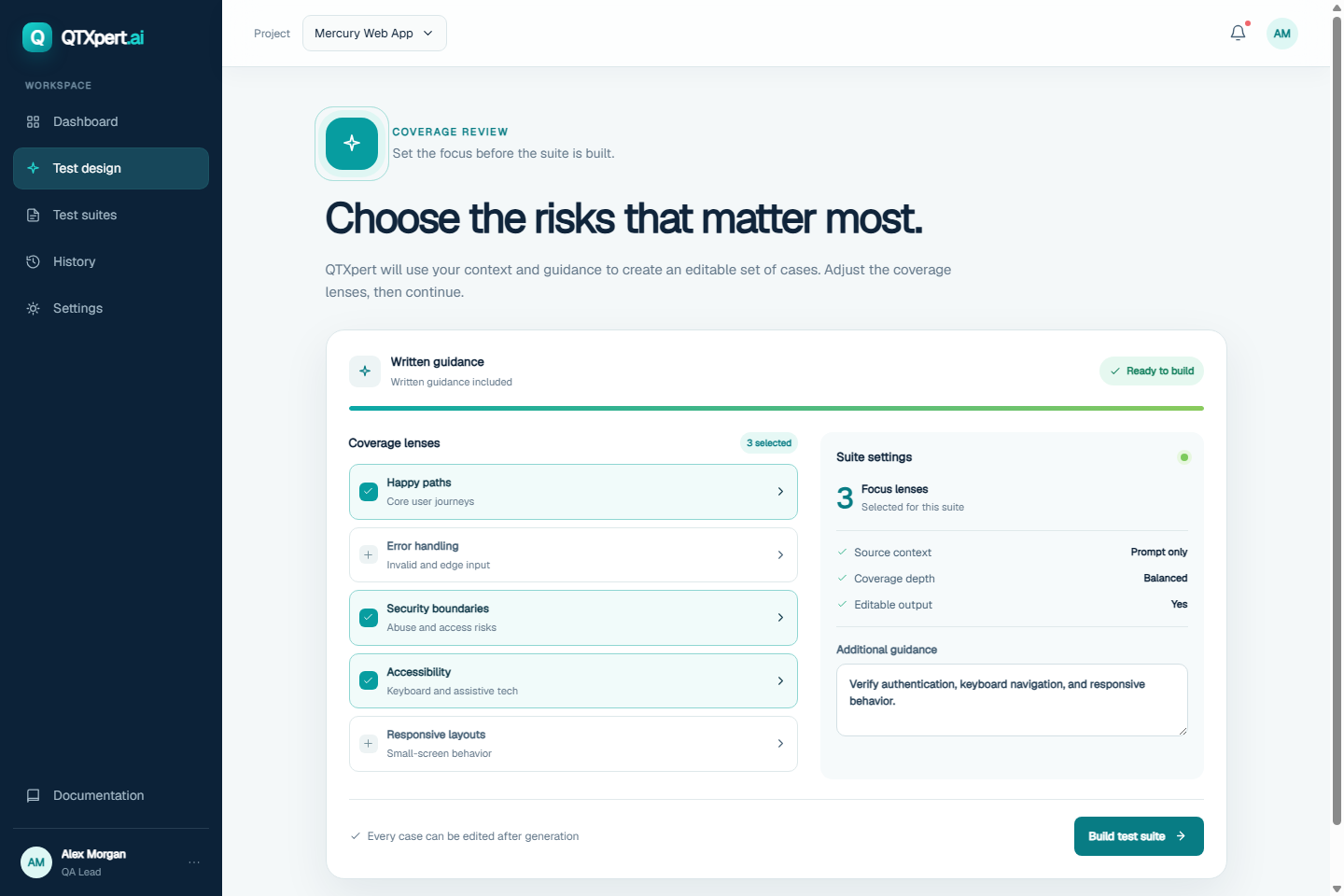
Choose the risks
Set the coverage lenses before the suite is built: happy paths, error handling, security, accessibility, and more.
Review the suite
Inspect priorities, steps, expected results, and Autopilot suggestions before the suite moves forward.
A reviewable path, not a black box.
- Context stays visible. The input and guidance are part of the quality conversation.
- Coverage is a choice. Teams can set the lenses and depth that fit the flow.
- Outputs are editable. People can review, refine, and decide what should move toward execution.
- Autopilot stays bounded. The run follows approved scope, connected environments, evidence capture, and review gates.
Use the live workspace or ask for a guided walkthrough.
Bring your questions, your current workflow, or a sample requirement. The QTXpert team can show where governed Autopilot fits in the quality loop.
Make the next quality conversation tangible.
Tell us what you test today and where evidence gets lost. We’ll start from there.
Request a walkthrough